0 ratings







منتج #:
114642416
Parallels Desktop 10 for Mac
83% من المشترين سيوصون بهذا المنتج لصديق
منتج #:
114642416
SAR 218
تفاصيل السعر
باستثناء رسوم الشحن والجمارك ( سيتم احتساب رسوم الشحن والجمارك عند إتمام الشراء )
*سيتم استيراد جميع العناصر من أمريكا
0 ratings
اكتب رأيك
متوفر فى المخزون
 مستورد من متجر USA
كمية:
بقي1 عنصر فقط في المخزن.
اطلب الآن واحصل عليه حول الخميس, أكتوبر 15
معاملة آمنة
تعمل يوباي جاهدة لحماية أمنك وخصوصيتك. يضمن نظام أمان الدفع المتقدم لدينا السرية من خلال تشفير معلوماتك أثناء النقل باستخدام بروتوكولات AES (معايير التشفير المتقدمة) وSSL (طبقة المنافذ الآمنة). تفاصيل الدفع الخاصة بك آمنة بنسبة %100 لأننا لا نشارك تفاصيل الدفع الخاصة بك مع بائعين تابعين لجهات خارجية
أفضل شركائنا اللوجستيين


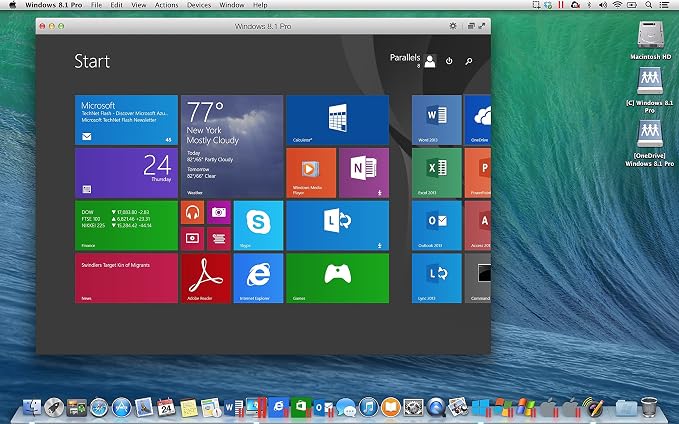
Parallels Desktop 10 for Mac is the world's easiest, fastest, and most powerful solution for running Windows applications on a Mac -- without rebooting.

اشتر الآن وادفع لاحقاً

شحن
سريع

استرجاع
مجاني*

تغليف آمن

منتجات أصلية %100

الامتثال لمعيار PCI DSS

حاصل على شهادة ISO 27001




Note: Step Down Voltage Transformer required for using electronics products of أمريكا store (110-120). Recommended power converters اشتري الآن.


أبرز ما يلفت الانتباه
Seamless Integration
Parallels Desktop 10 enables effortless switching between macOS and Windows applications without rebooting, enhancing productivity for users who need both operating systems concurrently.
Performance Boost
With optimized performance and faster loading times, this version provides users with an enhanced experience, making resource-intensive applications run smoothly on Mac computers.
Easy Installation
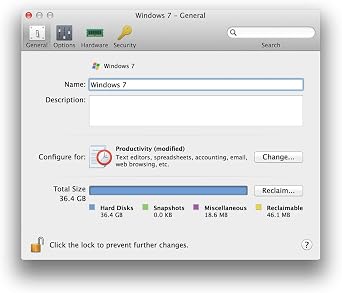
Simplified setup process allows users to quickly install and configure Windows on their Mac, catering to both novices and tech-savvy users who require a hassle-free experience.
تفاصيل المنتج
| Product Dimensions | 1.25 x 5.25 x 7.5 inches (3.2 x 13.3 x 19.1 cm); 2.4 ounces (68.04 grams) |
| Item model number | PDFM10L-BX1-AMAZ-NA |
| Date First Available | August 26, 2014 |
| Manufacturer | Parallels Software |
من يجب أن يشتري؟

-
Developers
Developers can easily test applications across different operating systems without needing multiple physical devices.
-
Business Professionals
Business users needing Windows applications can run them seamlessly alongside macOS for increased productivity.
-
Gamers
Casual gamers wanting to play Windows-specific games can benefit from performance tuning and optimization features.

-
Casual Users
Users with basic needs may find the software complex and unnecessary for their limited computing tasks.
وصف المنتج
هل لديك أي استفسار؟ تحدث معنا
أسئلة العملاء & الإجابات
-
سؤال:
كيف تتسوق Parallels Desktop 10 for Mac عبر الانترنت من يوباى?
إجابه: من السهل التسوق في Parallels Desktop 10 for Mac عبر الإنترنت من يوباي. كل ما عليك فعله هو البحث عن المنتج واختيار طريقة الشحن الخاصة بك أثناء الدفع وسيتم توصيله الى عنوانك -
سؤال:
هل Parallels Desktop 10 for Mac متوفر للتسوق عبر الإنترنت في Saudi Arabia؟
إجابه: نعم ، في يوباي Saudi Arabia هذا المنتج متاح لك للتسوق بسعر مناسب. Parallels Desktop 10 for Mac غير متوفر محليًا ولكن يمكنك الوثوق بنا بخدماتنا للشحن السريع. -
سؤال:
كم من الوقت يستغرق الحصول على المنتج بعد تقديم الطلب؟
إجابه: يختلف وقت تسليم المنتج الذي طلبته حسب ما طلبته وطريقة الشحن التي اخترتها. يتم ذكر وقت التسليم المقدر أثناء عملية الدفع ، لذا كن مرتاحًا أثناء التسوق.
Parallels Software Mac Software PDFM10L-BX1-AMAZ-NA Editorial Review


لم يتم العثور على مراجعات تحريرية
مراجعات العملاء وتقييماتهم
244 تقييمات العملاء
-
5 نجمة
47%
-
4 نجمة
14%
-
3 نجمة
13%
-
2 نجمة
13%
-
1 نجمة
13%
أضف تقييم لهذا المنتج
شارك أفكارك مع عملاء آخرين
تاريخ سعر المنتج
معلومات مهمة
- القيود: بالنسبة للمنتجات التي يتم شحنها دولياً، يُرجى ملاحظة أن أي ضمان من الشركة المصنعة قد لا يكون صالحاً؛ قد لا تتوفر خيارات خدمة الشركة المصنعة؛ قد لا تكون أدلة المنتج والتعليمات وتحذيرات السلامة مكتوبة بلغة بلد المقصد؛ قد لا يتم تصميم المنتجات (والمواد المصاحبة لها) وفقاً لمعايير بلد الوجهة والمواصفات ومتطلبات الملصقات؛ وقد لا تتوافق المنتجات مع الجهد الكهربي المستخدم في بلد الوجهة والمعايير الكهربائية الأخرى (تتطلب استخدام محوّل كهربي أو جهاز تحويل إذا كان ذلك مناسباً). المستلم مسؤول عن ضمان إمكانية استيراد المنتج بشكل قانوني إلى بلد الوجهة. عند الطلب من يوباي أو الشركات التابعة لها، يكون المستلم هو المستورد المسجل ويجب أن يلتزم بجميع القوانين واللوائح الخاصة ببلد الوجهة.
- ليست كل المنتجات المدرجة على يوباي معروضة للبيع، لأن يوباي هو محرك بحث عالمي. المنتجات تخضع للوائح التصدير / التجارة.
SAR 218
اطلب الآن واحصل عليه حول الخميس, أكتوبر 15
هذا المنتج غير ممنوع في بلدي. (الرجاء الضغط على الرابط أعلاه إذا لم يكن هذا المنتج ممنوعاً في بلدك ، لذلك سيقوم فريقنا بمراجعته والسماح به.)
كمية:
بقي1 عنصر فقط في المخزن.
معاملة آمنة
نوفر لك مدفوعات مشفّرة، وحماية متكاملة للمشتري، مع الالتزام بمعايير PCI DSS وشهادة ISO 27001:2022 لضمان أعلى مستويات الأمان في كل عملية شراء.
أفضل شركائنا اللوجستيين
أسرع توصيل عبر الحدود
المميزات والفوائد
- Run Windows applications on your Mac without rebooting.
- Easily install Windows or migrate your PC files and applications to your Mac.
- Enjoy powerful performance for both productivity and demanding graphical applications.
- Utilize full Windows versions of essential productivity apps like Excel and Outlook.
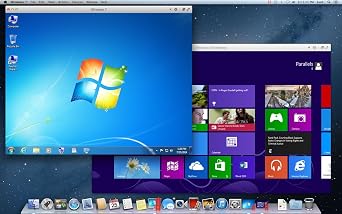
- Seamlessly integrate Windows and Mac applications side-by-side.
- Includes a Product Key Card for quick setup — no disc required.
ضمان Ubuy
تسوّق بثقة مع منتجات أصلية %100، ومدفوعات آمنة متوافقة مع معيار PCI DSS، وحماية بيانات معتمدة وفق ISO 27001، وشحن دولي سريع، وإرجاع مجاني*، وتغليف آمن لكل طلب.